
How to Download YouTube Videos on Mac and PC Without Software
-
Written By:
Michael Wilson -
Last Updated On:
June 2, 2026 -
Reading Time:
2 Min.
If you want to download YouTube videos without installing any software, there are a few simple options available. The easiest methods work directly in your web browser and can be used on both Mac and Windows computers.
Download YouTube Videos Without Software
To save a YouTube video without installing an app:
- Open the YouTube video you want to download.
- Copy the video's URL from the address bar.
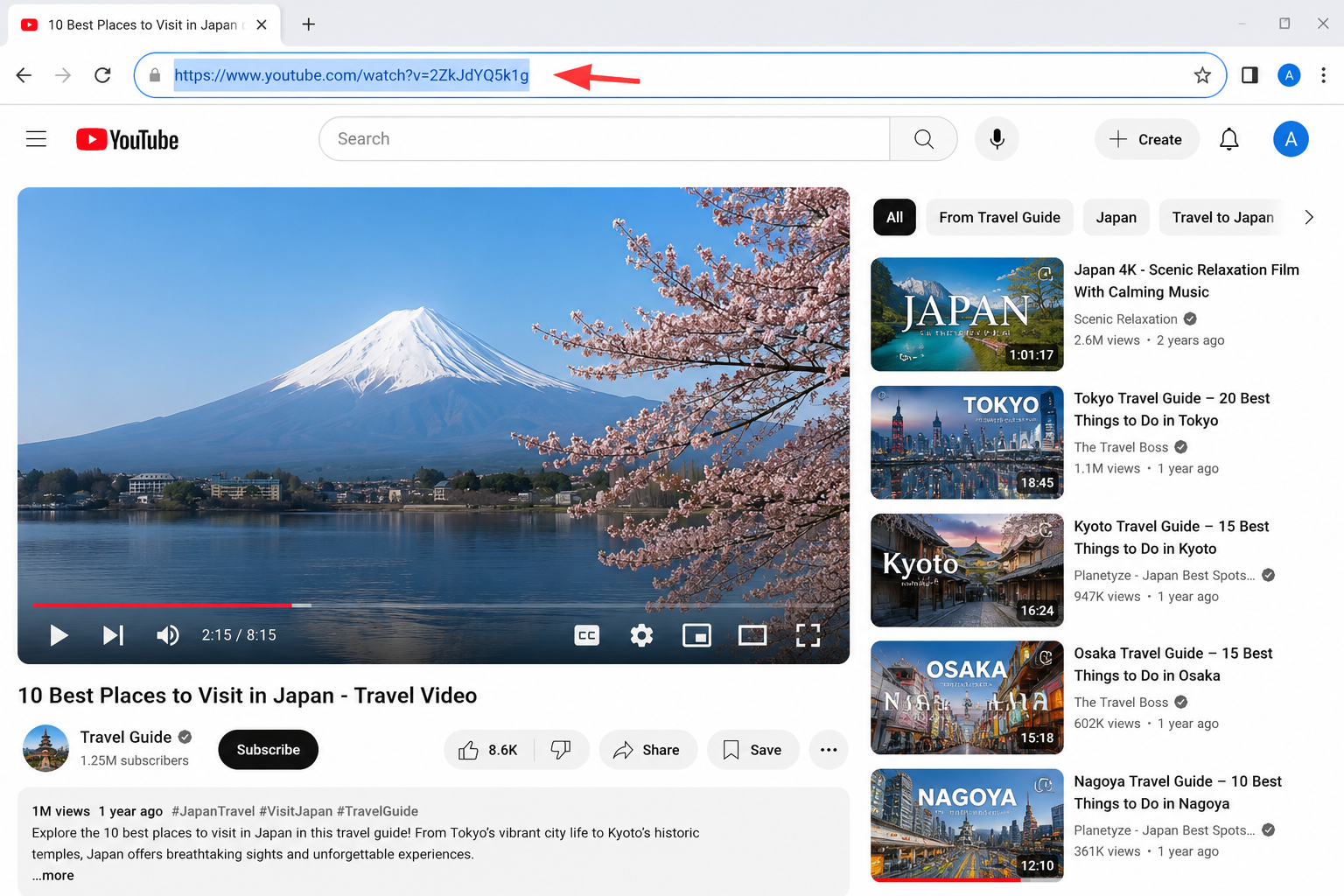
- Visit a browser-based video downloader. (We chose vidssave.com.) You can also use other browser-based video downloaders available on the internet.
- Paste the URL into the download field.
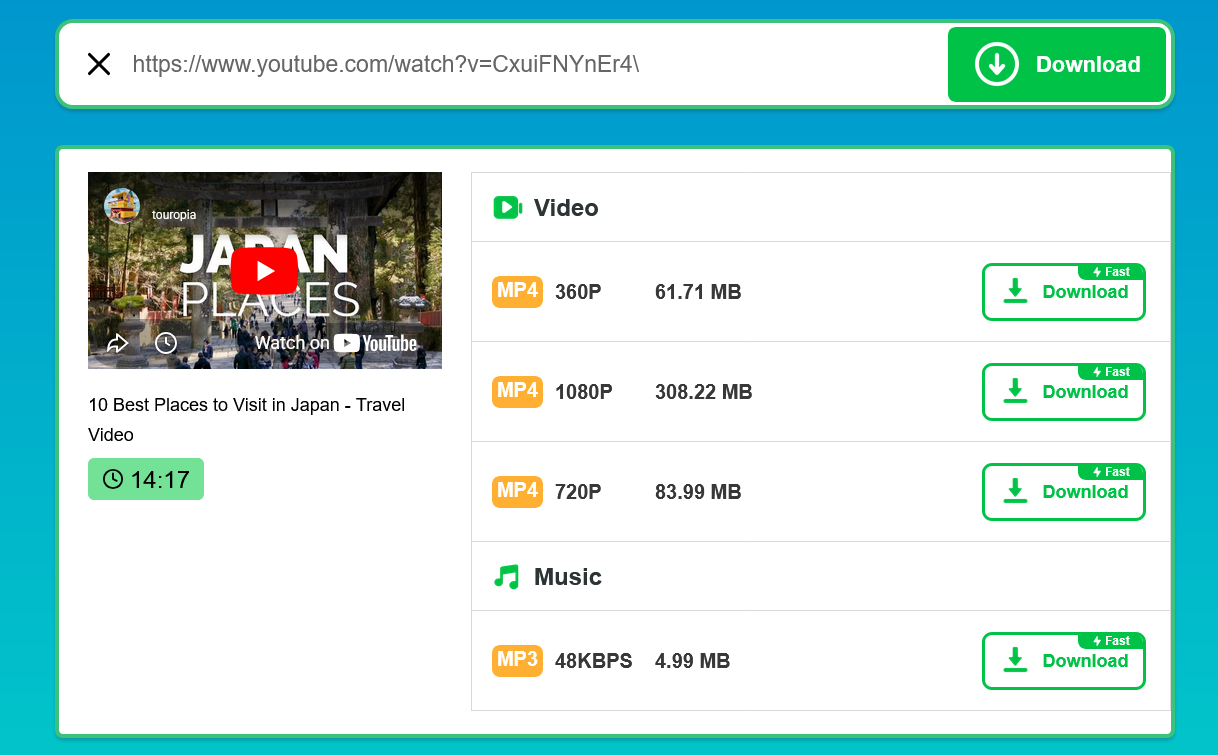
- Choose your preferred video quality or format.
- Click Download and save the file to your device.
Downloading YouTube Videos on Mac Without Software
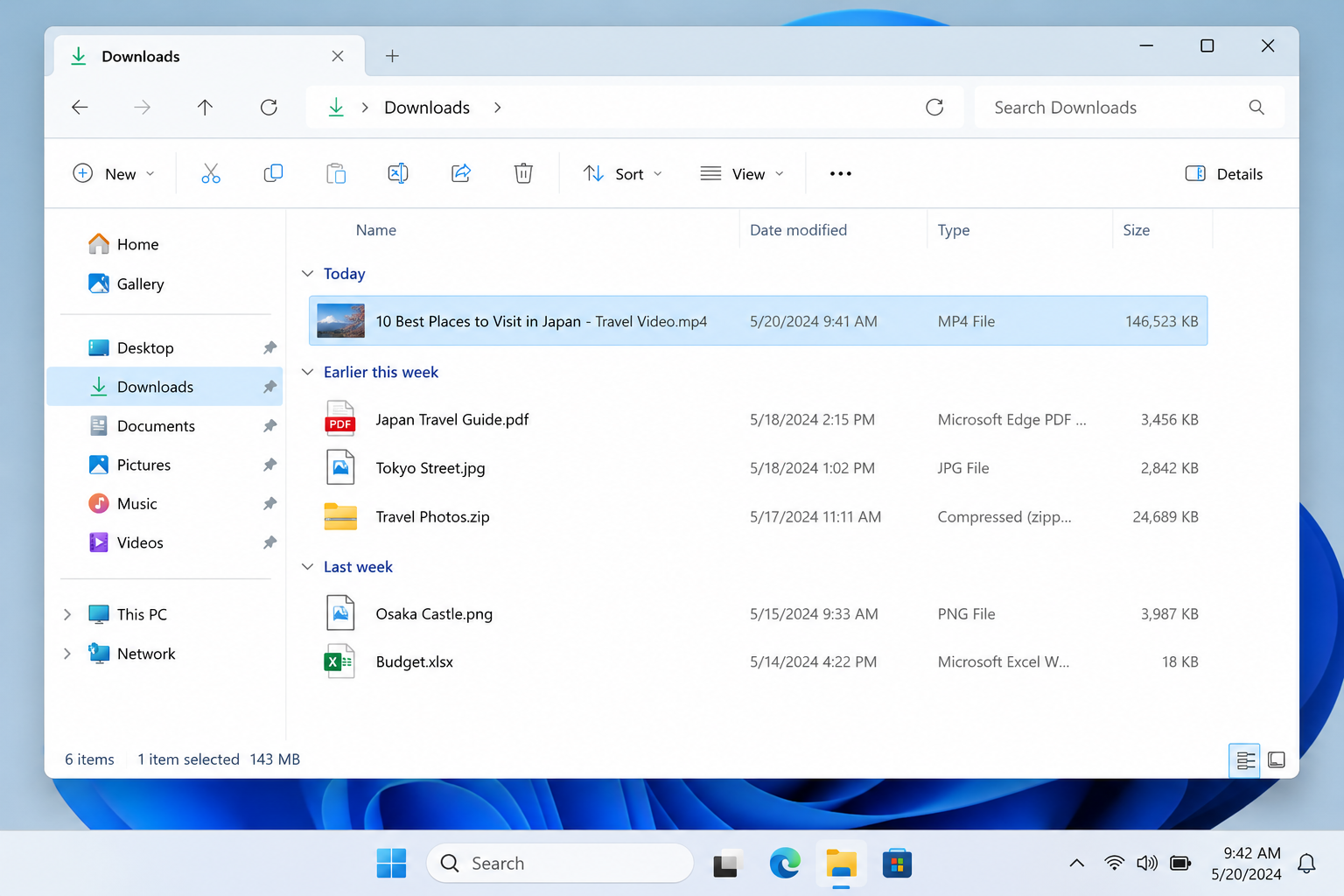
The same process works on macOS using Safari, Chrome, or Firefox. After downloading, the video is typically saved in the Downloads folder and can be accessed through Finder.
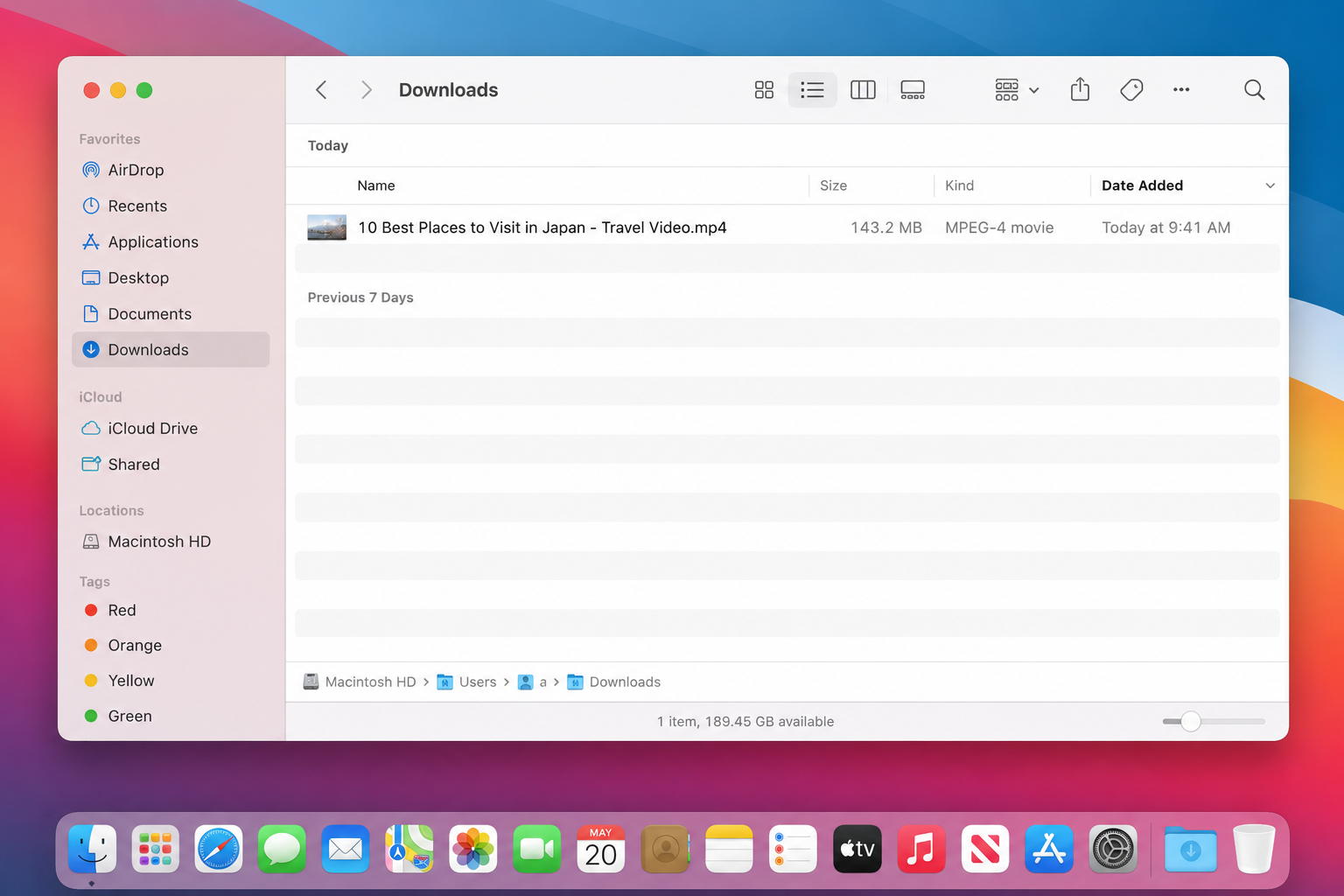
Downloading YouTube Videos on Windows PC Without Software
Windows users can follow the same steps using Chrome, Edge, or Firefox. Downloaded files are usually stored in the Downloads folder unless a different location is selected.
What I Noticed During Testing
I tested this process using modern desktop browsers on both Mac and Windows. The download process was straightforward, but some online downloaders displayed ads or extra buttons that could confuse first-time users. Checking the correct download button before clicking helped avoid unnecessary redirects.
FAQ
Can I download YouTube videos without installing software?
Yes. Browser-based download tools allow you to download videos directly from your browser without installing additional software.
Does this method work on Mac?
Yes. Most online downloaders work with Safari, Chrome, and Firefox on macOS.
Where are downloaded videos saved?
In most cases, videos are saved to your Downloads folder unless you choose another location.
Is YouTube Premium required?
No. However, YouTube Premium offers an official offline viewing feature within supported YouTube apps.
Final Thoughts
Downloading YouTube videos on Mac and PC without software is possible using browser-based tools or YouTube Premium. If you only need occasional downloads, using a web-based method can be a quick and convenient option without installing extra applications.


