
The software industry has shifted overwhelmingly toward Software-as-a-Service (SaaS), locking individual professionals and businesses into indefinite monthly or annual billing cycles. Over time, recurring fees for office suites, PDF editors, CAD programs, and creative software compound into thousands of dollars in unavoidable overhead. Understanding how lifetime software licenses work provides a permanent exit ramp from subscription fatigue.
What is a lifetime software deal or license? A lifetime software license (also known as a perpetual license) is a one-time purchase agreement that grants you indefinite, permanent rights to install, activate, and use a specific software version without ever paying recurring monthly or annual subscription fees.
Why it saves you money: Because you pay once upfront—often at a 70% to 85% discount through verified surplus distribution channels like CDRBSoftwares—the software pays for itself within 6 to 18 months, eliminating ongoing recurring overhead permanently.
1. How Lifetime Software Licensing Works
Before the widespread adoption of cloud subscriptions in the 2010s, software was traditionally distributed via **perpetual licensing**. When you purchased a software box or digital key, you purchased an unconditional right to execute that software on your machine indefinitely.

Under a lifetime software license:
- Permanent Activation: Your digital license key binds to your machine hardware or account, remaining valid as long as your operating system supports it.
- No Forced Expiration: If you stop paying or disconnect from the internet, the software never locks your files or revokes editing access.
- Independent Maintenance: You receive all maintenance builds and security patches released for that major version release without hidden billing triggers.
2. Desktop Perpetual License vs. Cloud SaaS Lifetime Deal
When researching lifetime software deals, buyers encounter two distinct models. Understanding the difference is crucial for risk management:
| Licensing Feature | Desktop Perpetual License (e.g., Office, CAD, Corel) | Cloud SaaS Lifetime Deal (LTD Startup) | Recurring Monthly/Annual SaaS |
|---|---|---|---|
| Execution Environment | Installed locally on your PC or Mac hardware | Hosted entirely on the vendor's cloud servers | Hosted in cloud or cloud-tethered desktop app |
| Offline Longevity | 100% Functional offline indefinitely | Requires active internet and live vendor servers | Requires periodic internet license check-in |
| Vendor Failure Risk | Zero: Works even if the publisher closes | Moderate: Tool disappears if startup runs out of runway | Low: Large corporate infrastructure |
| Billing Frequency | One-time upfront payment | One-time upfront payment | Continuous monthly/annual debit |
Looking for Genuine One-Time Purchase Software?
Escape subscription locks with verified, lifetime-valid PC software and Mac software. Backed by 22+ years of customer service, instant delivery, and our 100% money-back activation guarantee.
Browse Over 1,500+ Lifetime Deals →3. Why Lifetime Licenses Save Substantial Money
The financial advantage of lifetime licensing comes down to **accumulated compound cost**. Subscription models charge you for access rather than ownership, creating a permanent liability on your balance sheet.
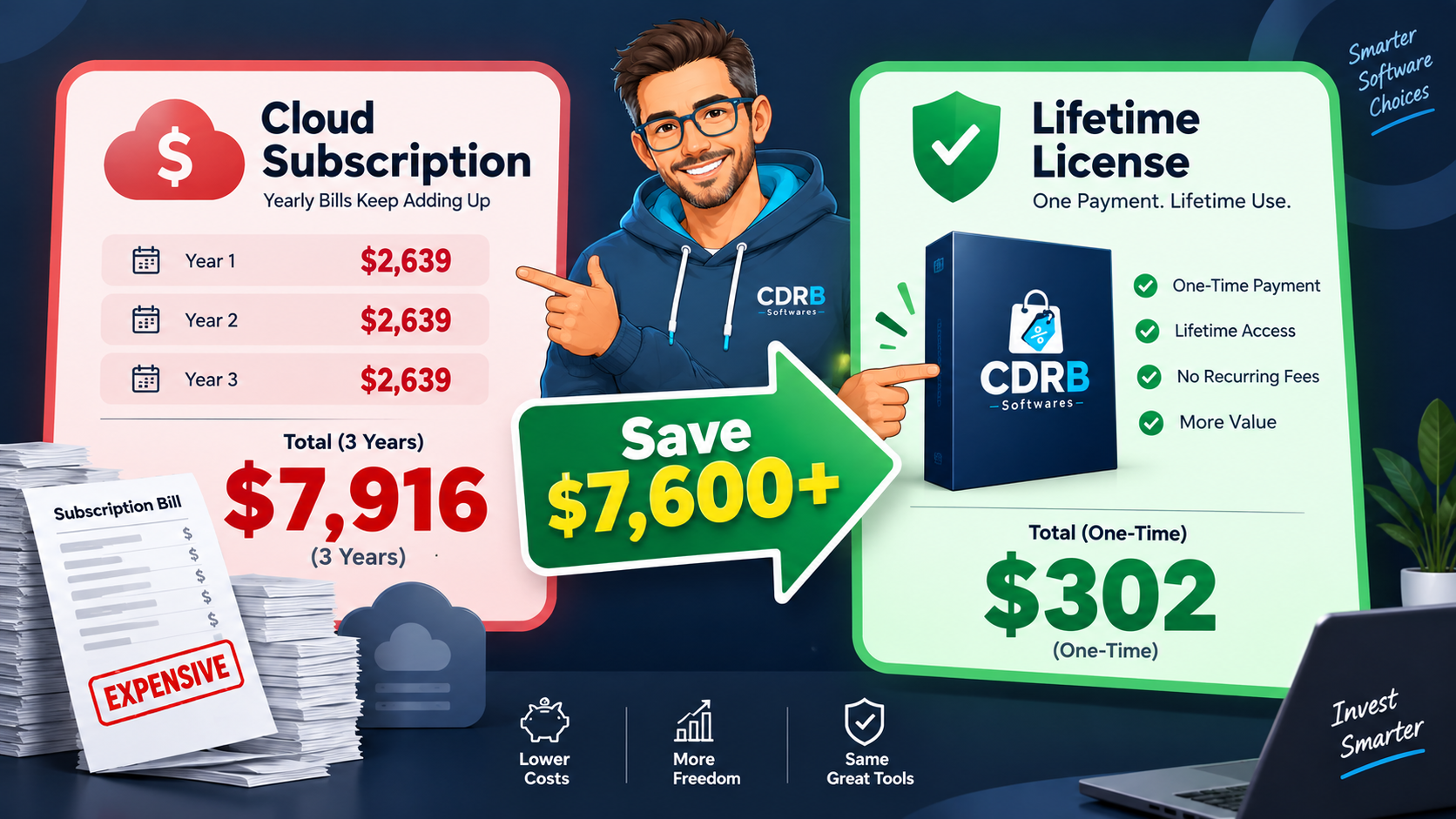
Consider the cumulative costs across three common software categories over a 36-month period:
- Office Productivity: Microsoft 365 Personal costs $69.99 to $99.99/year ($210–$300 over 3 years). A standalone lifetime build of Microsoft Office Professional Plus costs ~$45 once, saving 80%+. (See our guide on the 10 best cheap computer software deals).
- PDF Editing: Adobe Acrobat Pro costs $239.88/year ($719.64 over 3 years). A perpetual build of Foxit PDF Editor Pro costs ~$49 once, saving over $670. (Read how to switch with our guide on canceling Adobe Acrobat without fees).
- 2D/3D CAD Design: Autodesk AutoCAD costs $2,030/year ($6,090 over 3 years). Surplus perpetual licenses reduce total workstation overhead by thousands of dollars.
4. The "18-Month Breakeven Rule" Decision Framework
When deciding whether to purchase a lifetime software deal or pay a subscription, apply this simple financial decision framework:
Rule: If Lifetime License Price ≤ (1.5 × Annual Subscription Cost), the purchase is an immediate financial win.
Example: If a photo editor costs $120/year on subscription and its lifetime license is $150, your breakeven point is just 15 months. By month 16, you are using the software entirely for free, yielding pure profit or savings every single year thereafter.
5. How to Verify Legitimate Lifetime Licenses
To ensure your software deal is authentic and will never be revoked:
- Avoid Anonymous Peer-to-Peer Marketplaces: Unvetted sellers on marketplaces often sell stolen Volume MAK keys that fail during routine Microsoft or vendor license audits. (Learn how to verify your Windows channel with our Windows 11 key verification guide).
- Look for Established Business Longevity: Purchase from dedicated software distributors with verifiable track records (such as CDRBSoftwares, serving customers since 2003).
- Demand Clear Activation Guarantees: Legitimate liquidators back every license with dedicated technical support and a 100% money-back guarantee.
6. Frequently Asked Questions
For locally installed desktop software (perpetual licenses), no. The software binaries execute on your local hardware and cannot be revoked arbitrarily. For cloud-hosted SaaS tools, access depends on the vendor maintaining their cloud servers.
Yes. Lifetime licenses include all minor version updates, security patches, and stability fixes for that release cycle. Major version leaps (e.g., upgrading from Office 2021 to 2024) may require a separate upgrade purchase, but your existing build continues working forever.
Retail perpetual licenses can be transferred to a replacement machine by deactivating or uninstalling from the old system and re-activating on the new PC or Mac. OEM licenses remain tied to the original motherboard.