
How to cancel Adobe subscription without paying a fee: Switch your current active subscription to a different plan (such as the Photography Plan). This resets your contract with a brand-new, mandatory 14-day cancellation window. Within 15 minutes of switching, cancel the new plan. Because you are inside the fresh 14-day trial period, the cancellation fee drops to $0.00 and any prorated charge is refunded.
If you've tried canceling an Adobe Creative Cloud, Photoshop, or Illustrator subscription before your 12-month agreement finishes, you've likely encountered Adobe’s Early Termination Fee (ETF). Under Adobe's contract terms, canceling early triggers a penalty of 50% of the remaining contract balance, often costing between $120 and $300+.
In this comprehensive software guide from the CDRBSoftwares team, we break down the exact steps to cancel your Adobe subscription without paying an early termination fee.
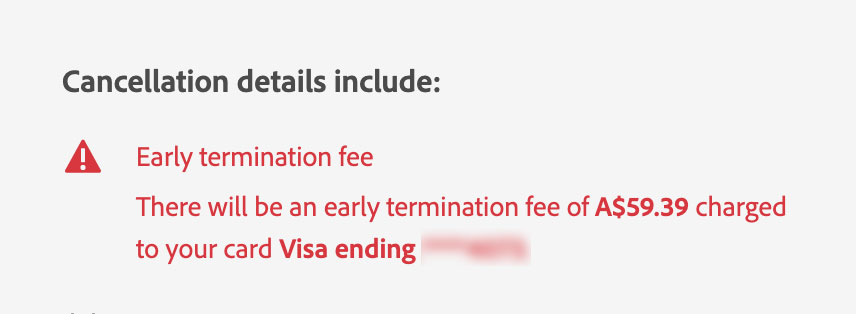
Why Does Adobe Charge a Cancellation Fee?
When purchasing Adobe Creative Cloud or single creative apps, the default pricing highlighted at checkout is "Annual, paid monthly."
Method 1: The "Plan Switch" Loophole (Fastest & 100% Free)
This is the most reliable, tested loophole in 2026. It leverages Adobe's legally mandated policy granting a 14-day full refund with $0 cancellation fee on any new plan purchase.
Switch to a Cheaper Plan
Under your current subscription, click Manage Plan, then choose Change Plan. Select any alternate plan (the Photography Plan at $9.99/mo is the simplest choice).
Confirm the Plan Switch
Proceed through the confirmation steps. Your existing 12-month contract is terminated and replaced with the new plan starting on Day 1.
Cancel the New Plan Immediately
Wait 10 to 15 minutes for Adobe’s billing servers to update. Navigate back to Manage Plan and select Cancel Plan.
Method 2: The Customer Support "Hardship & Policy" Script
If the self-service plan switch option is disabled on your account, open the Live Chat at helpx.adobe.com and use this proven script:
What to expect: Representatives will usually offer 2–3 free months or a 50% discount to convince you to stay. Politely decline all retention offers, and agents will manually waive the fee to resolve the ticket.
Method 3: Revoke Payment Authorization (PayPal / Virtual Card)
If Adobe refuses to cooperate and you used PayPal or a virtual credit card service:
- PayPal Users: Log in to PayPal ➔ Go to Settings ➔ Payments ➔ Manage Automatic Payments ➔ Select Adobe Systems ➔ Click Cancel Automatic Payments.
- Virtual Cards (Privacy.com / Revolut): Pause the card or set its monthly spend limit to $0.00. Adobe will attempt billing for 30 days, fail, and automatically terminate the subscription without charging your bank.
Comparison of Adobe Cancellation Methods (2026)
| Method | Fee Avoided | Time Required | Risk Level |
|---|---|---|---|
| Plan Switch & Reset | 100% ($0 Fee) | 15 Minutes | Very Low |
| Support Hardship Script | 100% ($0 Fee) | 10–20 Minutes | Low |
| PayPal Revocation | 100% ($0 Fee) | 5 Minutes | Account Suspended |
| Wait for Contract Expiry | 100% ($0 Fee) | 1–11 Months | Zero |
What Happens to Your Files After Canceling Adobe?
- Local Files (.PSD, .AI, .INDD): Any project files saved locally on your hard drive remain intact and accessible forever.
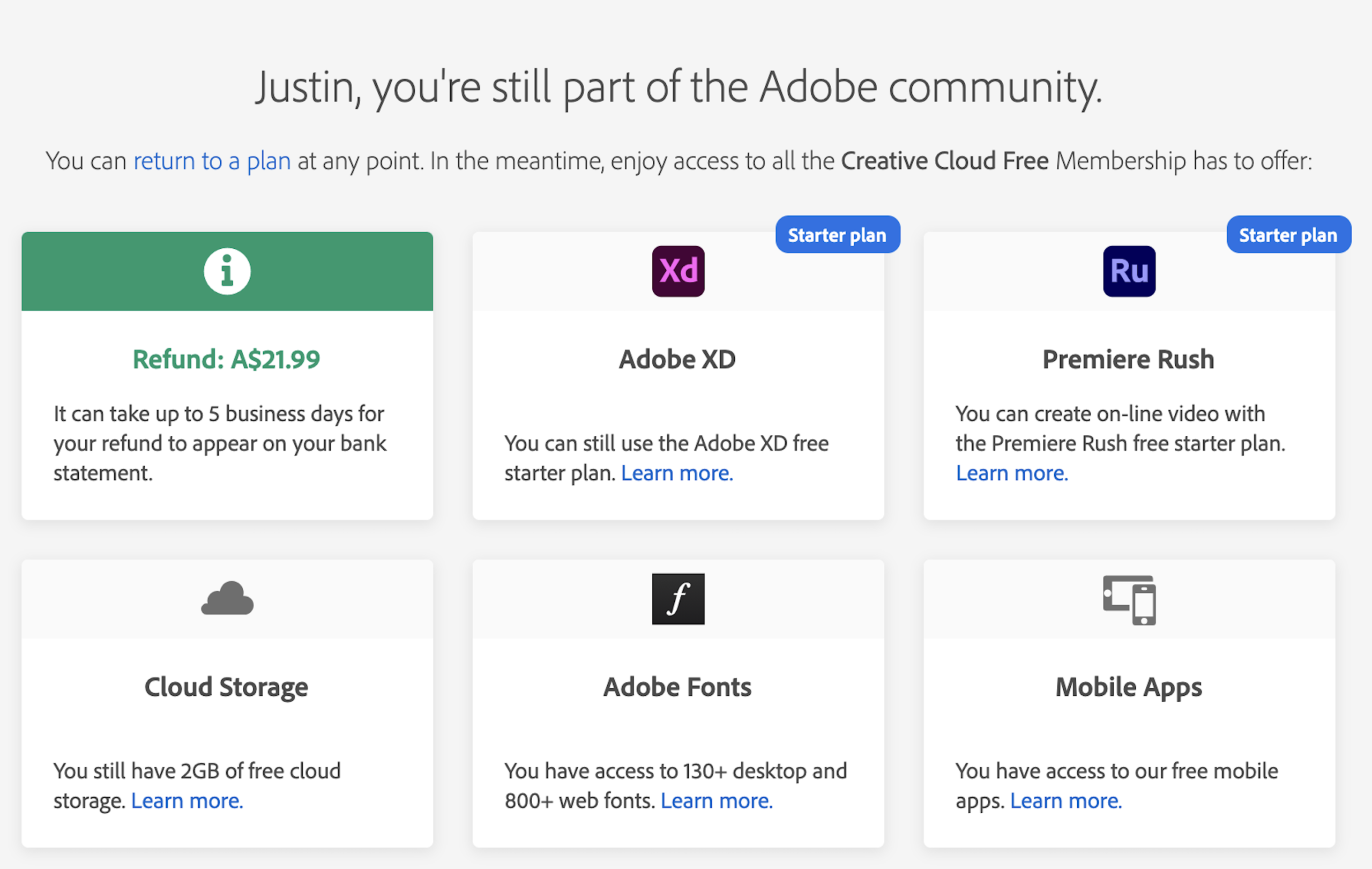
- Cloud Storage: Your cloud storage drops to the free 2GB tier. Download all Creative Cloud assets before canceling to prevent data loss.
- Perpetual Lifetime Alternatives: To escape recurring subscriptions, consider one-time purchase software like Affinity Photo / Designer / Publisher (lifetime license) and DaVinci Resolve (free). Check our catalog of genuine lifetime licenses for Mac software and Windows software at CDRBSoftwares.
Frequently Asked Questions (FAQ)
Adobe offers a 100% full refund with zero cancellation fees if you cancel within 14 days of your initial purchase or annual renewal date. After 14 days on an annual plan, Adobe charges an early termination fee equal to 50% of the remaining contract balance.
Yes. Consumer protection laws in the US, UK, and EU require all digital service providers to provide a mandatory 14-day statutory cooling-off window whenever a contract or plan structure is modified.
If you subscribed through Apple App Store or Google Play Store, you must cancel directly via your device's subscription settings (Apple ID / Google Play Subscriptions). Apple and Google handle cancellations independently and do not charge Adobe's 50% early termination fee.
Yes. Adobe Stock is managed as a standalone add-on under your account portal. However, Adobe Stock annual plans also carry early termination penalties, so using Method 1 (Plan Switch) on the Stock subscription is recommended.
Yes. Inside your Adobe account portal under Manage Plan, you can pause billing for up to 60 days. Your access will be temporarily suspended, but your account and cloud files remain active without incurring charges during the pause.
For individual consumer accounts, Adobe typically suspends the subscription and account access after multiple failed billing attempts rather than reporting unpaid fees to credit bureaus. However, using the plan switch trick is the safest method because it cleanly closes the account on Adobe's servers.
Once a cancellation is confirmed within the 14-day window, refunds are processed within 5 to 7 business days depending on your bank or credit card provider.
The US Federal Trade Commission (FTC) filed an action against Adobe citing deceptive dark patterns, hidden early termination fees buried in fine print, and cumbersome cancellation flows designed to deter users from ending subscriptions.